
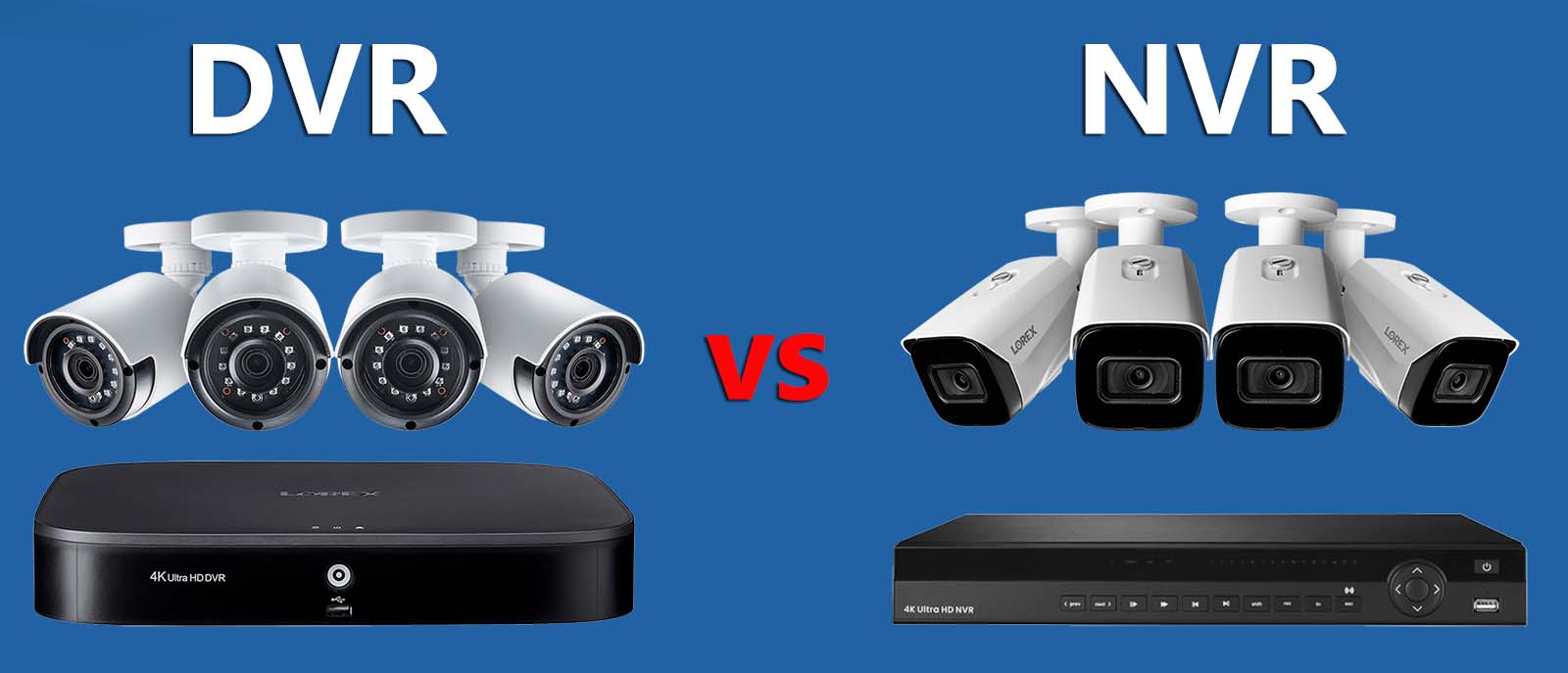
The recorder is the part of a CCTV system nobody looks at and everybody depends on. It decides what cable goes in your walls, how many cameras you can add later, and how far back you can go when you actually need footage.
The difference
A DVR — digital video recorder — takes an analog signal over coaxial cable and does the encoding itself. The cameras are simple; the recorder does the work.
An NVR — network video recorder — takes video that has already been encoded by the camera and arrives over network cable. The cameras are intelligent; the recorder mostly stores and manages.
That is the whole distinction. Everything else follows from it.
| Feature | DVR | NVR |
|---|---|---|
| Camera type | Analog HD | IP |
| Cable | Coaxial + separate power | Network cable, power on the same cable |
| Power to cameras | Separate supply to each | Over the network cable |
| Adding a camera later | New coax run + power | One network cable, or a switch |
| Audio | Usually one or two channels | Per camera, both directions |
| Cost | Lower | Higher |
The part that matters more than either: the hard disk
This is where quotes get cut and customers get caught.
A recorder without enough disk overwrites the oldest footage to make room for the new. If you have seven days of retention and you discover something a fortnight later, the footage is gone. The system worked exactly as designed and it is still useless to you.
How much disk you need depends on four things: how many cameras, at what resolution, whether they record continuously or on motion, and how many days you want to keep. The CCTV storage calculator works out the disk size from those four answers.
Rather than quote a table that will be wrong for your system, here is the question to ask: “How many days of retention does this disk give me, with all cameras recording the way you have set them up?” Any installer who cannot answer that immediately has not thought about it.
For most homes, two to four weeks is the sensible target. For a shop, we would push for a month, because a stock discrepancy often is not noticed for weeks.
Recording continuously or on motion
Continuous records everything. Nothing is missed, and the disk fills predictably.
Motion-based records only when something moves, which stretches your retention considerably. The risk is that badly configured motion detection misses the beginning of an event — the first second or two while it triggers — which is often the second that matters.
We usually set entry points to continuous and general areas to motion, which gives most of the disk saving without the risk where it counts.
Sizing for what you will want in three years
The most common regret is a recorder with no spare channels. Someone fits four cameras on a four-channel recorder, then wants one more at the back gate, and the answer is a new recorder.
An eight-channel recorder costs a little more than a four-channel one and it is far cheaper than replacing the whole thing in year two. If there is any chance you will extend, buy the channels now.
Things worth checking on any recorder quote
Does it support the resolution of the cameras? A recorder that maxes out below your camera resolution quietly downgrades everything you record.
Is the disk a surveillance-grade drive? Desktop drives are not built for continuous writing and fail earlier in that duty. A surveillance drive costs a little more and is designed for exactly this.
How do you get footage off it? When something happens you will want a clip on a pen drive or a phone, quickly, possibly for the police. Some interfaces make that easy and some make it a half-hour job.
What happens in a power cut? A recorder that loses power mid-write can corrupt the disk. A small UPS on the recorder is cheap insurance, and we recommend one wherever power cuts are common.
What we fit and why
For most domestic systems: a DVR matched to the camera count, moving up to an eight-channel one when more cameras are likely later, a surveillance-grade disk, and a small UPS where power cuts are common.
For shops, clinics and anywhere with a counter: an NVR with IP cameras at the points where you might need to identify somebody rather than just observe them.
Either way, the disk size and the resulting retention are written on the quote in days, not gigabytes. Gigabytes mean nothing to most people. Days mean something.
CCTV camera installation, prices and packages → · IP camera or analog: which should you buy? →